EZFOTO VS EZCREATE

EzCreate AI alternative
for editing your photos.

EzFoto AI is an EzCreate AI alternative for editing an existing photo with text instructions. Upload a photo, choose Base or Advanced, and describe what to change. Start without sign-up, with separate daily free allowances.

3 Base + 1 Advanced edits dailyPhoto + optional referenceCompare the differences ↓
Model
Source photo Required
0/8,000
Aspect ratio

No account needed · Guests verify before editing

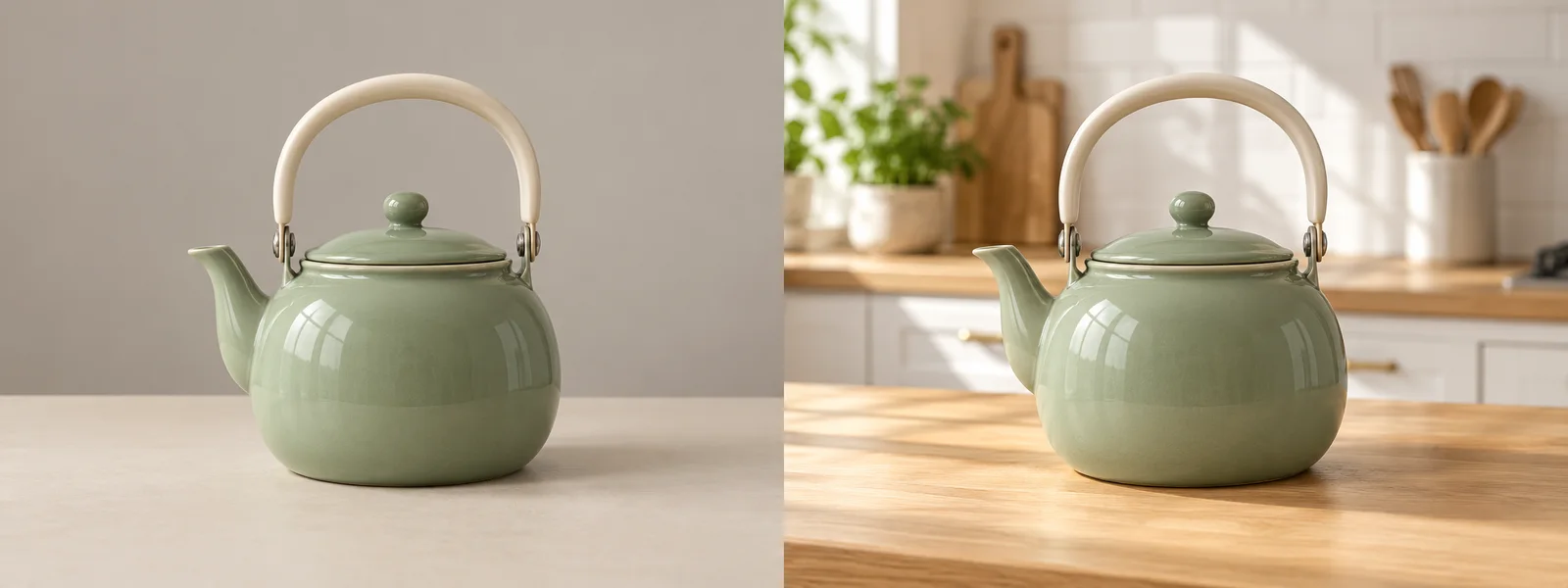
A PHOTO. A NEW DIRECTION.Editing example
Illustrative version of the same kettle with a bright modern kitchen background
Illustrative sage green kettle photographed against a plain background
BeforeAfter
Generated with EzFoto AI

Change Photo Backgrounds

Move the slider to explore the change. Upload your own photo in the editor to make an edit.

A source photo is required. JPG, PNG, or WebP up to 10 MiB each; one optional reference image. Results appear in My Works.

CHOOSE BY YOUR WORKFLOW

When should you choose
EzFoto AI or EzCreate?

Choose EzFoto AI for an existing photo and a specific change. Its photo editor combines a source image, one optional reference, text instructions, and two model choices. It suits product backgrounds, portrait adjustments, object removal, and photo restyling.

Consider EzCreate if you want to start from text alone, combine several images, explore a wider model menu, or use video tools. Check the current credits and access requirements for the feature you need.

Compare workflow and access ↓

What does more permissive moderation mean?

EzFoto AI’s positioning is more permissive everyday creative editing. This is not a measured advantage over EzCreate: neither a lower rejection rate nor universal prompt acceptance has been established. EzFoto AI does not support adult content; provider rules and acceptable-use terms apply.

COMPARE BEFORE YOU SWITCH

EzFoto AI vs EzCreate AI: workflow, free use, and limits

EzFoto AI’s photo editor requires a source photo and offers separate daily model allowances. EzCreate also offers generation and processing tools. Public pages were rechecked on November 10, 2026; guest credits, signed-in rewards, completed tasks, and access gates below are historical November 6 observations.

Features and access rules · EzCreate reviewed November 6, 2026
What mattersEzFoto AIFocused photo editingEzCreate AIImage and video tools
Editing workflowEdit an existing photo with text instructions and one optional reference image.Offers photo editing, text-to-image, and multi-image fusion.
Free use3 Base edits and 1 Advanced edits daily, with separate allowances.November 6 test: 8 guest credits; the signed-in check-in calendar showed 10–30 credits by day. Not reverified for this update.
Sign-upStart editing without an account; human verification is required before submission.November 6 test: guest image generation, editing, downloads, and single-image upscaling worked; video submission required login.
Image modelsBase · Qwen Image Edit and Advanced · GPT Image 2.5 in this editor. Advanced is not a guarantee of better results.The November 10 public menu lists EzCreate, Nano Banana, SeeDream, and GPT Image options. Some entries show VIP or Upgrade labels.
Starting materialA source photo is required. Add one optional reference image.Text-only prompts and image inputs are supported. The November 6 fusion interface kept up to 5 images; that limit was not reverified.
Uploads and promptsJPG, PNG, or WebP; up to 10 MiB per image and 8,000 prompt characters.The public editor displays a 24 MB upload limit and a 10,000-character prompt counter.
Specialized toolsDescribe background changes, object removal, portrait edits, or restyling in one editor.Links to restoration, enhancement, unblur, colorization, upscaling, and video tools.
Paid accessUse the daily Base and Advanced allowances in this editor. No checkout is needed to begin.November 6 test: two image models and batch upscaling triggered VIP gates. Check current model costs and plan access before use.
Content moderationPositioned for more permissive everyday creative editing. Adult content is not supported; model and service rules apply.Its terms allow filtering and restrictions. Relative prompt acceptance has not been measured.

EzFoto AI edits and EzCreate credits are different units; credit costs vary by task. Historical credit and login checks are not current entitlements. See review scope. No matched image-quality or speed benchmark was run.

START WITH A REAL EDIT

Photo editing use cases and example prompts

These prompts describe edits you can request in EzFoto AI. They are starting instructions, not tested guarantees of output quality.

Product background changes

Use EzFoto AI to request a new setting for an existing product photo.

Replace the background with a warm studio. Preserve the product shape, label, and color.

Review: Check labels, proportions, edges, and shadows before using the result in a listing.

Portrait lighting and clothing colors

Use EzFoto AI to edit a portrait you have permission to change.

Make the lighting softer and change the blue shirt to red. Preserve the face, pose, and background.

Review: Face and clothing details can change even when you ask the model to preserve them.

Object removal and restyling

Use EzFoto AI to remove a distraction or request an illustrated version of a photo.

Remove the small object on the left of the table. Preserve the other objects and the original lighting.

Review: Inspect reconstructed areas for repeated textures and missing details. Restyling may redraw the scene.

FROM IDEA TO EDIT

How to use this EzCreate alternative

Bring your source photo and describe one clear change. You can start in the editor above without creating an account.

  1. 01

    Upload a photo you can edit

    Use a clear JPG, PNG, or WebP. Add one optional reference image when you need to guide the style or visual direction.

  2. 02

    Choose a model and write the change

    Base offers 3 daily Qwen edits; Advanced offers 1 daily GPT Image edits. Say what to change and what to preserve, then complete verification.

  3. 03

    Review the result in My Works

    Check faces, hands, product labels, colors, and edges before downloading. AI may redraw details beyond the requested change.

A USEFUL STARTING PROMPT

“Change only the blue shirt to deep red. Preserve the face, pose, fabric texture, hands, and background.”

Specific preservation instructions guide the model; they do not guarantee an unchanged identity or exact product text.

Try an edit above ↑

BEFORE YOU UPLOAD

EzFoto AI editing limits, results, and privacy

EzFoto AI requires a source photo; this editor does not generate from text alone. Each upload must be JPG, PNG, or WebP up to 10 MiB, with one optional reference and up to 8,000 prompt characters.

  • Daily allowances: 3 Base and 1 Advanced edits are separate. Availability and eligibility are checked by the backend; verification is required before submission.
  • Output review: AI can redraw faces, hands, text, colors, or product details. Advanced is a tier name, not a promise of better results. Inspect the downloaded file before sharing.
  • Upload privacy: submitting sends images, prompts, and settings to EzFoto AI and model providers. My Works history is stored in this browser; deleting an entry does not delete provider files. Read the Privacy Policy.
  • Failed or delayed edits: check the existing task in My Works before resubmitting. A timeout can leave task status uncertain, and another submission can use another allowance.

BASIS FOR THIS COMPARISON

EzCreate review dates and scope

Content updated

November 10 public-page check: EzCreate’s editor lists multiple model families, VIP labels, upload and prompt limits, and links to image and video tools. Its terms reserve content-filtering rights. The pricing page did not expose plan prices in the retrieved text, so this comparison does not quote current subscription prices.

November 6 historical browser review: the project’s recorded review covered guest access and a signed-in Basic account, with eight completed image-processing tasks. Credit rewards, login requirements, and VIP gates in the table refer to that review and were not rerun for this update.

We did not purchase a plan, complete a video, test a cross-day quota reset, or establish a relative moderation threshold. No same-input quality or speed benchmark was run. This is an EzFoto AI-authored comparison. The before-and-after images above are AI-generated illustrations, not outputs from the competitor review.

DIRECT ANSWERS

EzCreate AI alternative FAQs

What is a free EzCreate AI alternative for photo editing?

EzFoto AI is a browser-based alternative for editing an existing photo with text instructions. It offers 3 daily Base edits with Qwen and 1 daily Advanced edits with GPT Image, without sign-up. Upload a source photo; each model has a separate allowance.

Does EzFoto AI have more permissive moderation than EzCreate?

A lower rejection rate has not been established. EzFoto AI is positioned for more permissive everyday creative editing, but no matched moderation test against EzCreate has been run. Adult content is not supported, and model providers’ rules and EzFoto AI’s terms still apply.

Does EzFoto AI support adult or NSFW content?

No. EzFoto AI does not support adult content. More permissive moderation refers to flexibility in everyday creative photo editing, not permission to generate sexual content. Model rules still apply, and prompt acceptance is not guaranteed. Use only material you have rights and consent to edit.

Can I edit portraits of real people with EzFoto AI?

Yes, you can upload a portrait you have permission to edit and request changes such as lighting, clothing colors, or backgrounds. AI can alter facial details, so compare the output with the source. Do not use the editor for non-consensual intimate imagery or deceptive impersonation.

How many free edits can I make each day?

EzFoto AI offers 3 Base edits and 1 Advanced edits each day. The allowances are independent: unused Base edits do not become Advanced edits. Availability and eligibility are enforced by the service.

Can EzFoto AI generate an image without uploading a photo?

No. The two models in this editor require a source photo. EzCreate offers text-to-image generation, so its workflow may fit better when you want to start from text alone.

Is EzFoto AI better than EzCreate for every task?

No. Choose EzFoto AI for editing an existing photo in a focused two-model workflow with separate daily allowances. Consider EzCreate for text-to-image generation, multi-image fusion, or video tools. We have not run a matched quality benchmark between the services.

Does EzCreate always give 15 free credits per day?

Do not assume a fixed daily allowance. The recorded November 6, 2026 check-in panel showed 10–30 free credits depending on the check-in day. Rewards and a cross-day reset were not reverified for this update. Check the current account interface before planning work around free credits.

Do I need to sign up to try EzFoto AI?

No. You can start a photo edit without an account. Upload a source photo, select Base or Advanced, enter an instruction, and complete human verification before submitting. Free use remains subject to service availability and backend eligibility checks.

Are uploaded photos processed only on my device?

No. Submitting an edit sends your images, prompt, and settings to EzFoto AI and model providers. My Works stores task history in your browser; removing a local entry does not delete backend or provider files. Review the Privacy Policy before uploading sensitive images.

Use the AI photo editor for general text-guided edits, or the AI pose generator when your goal is a pose change. Read about EzFoto AI for the service’s identity and Terms of Service for use conditions.

MAKE YOUR NEXT EDIT

Give your photo a new direction.

3 Base edits. 1 Advanced edits. Separate daily allowances, no sign-up.

Try EzFoto AI free ↑
LET’S CREATE SOMETHING

Welcome to EzFoto AI.

Turn your photos into something extraordinary. Sign in to continue your creative journey.

One account. All your creative tools.